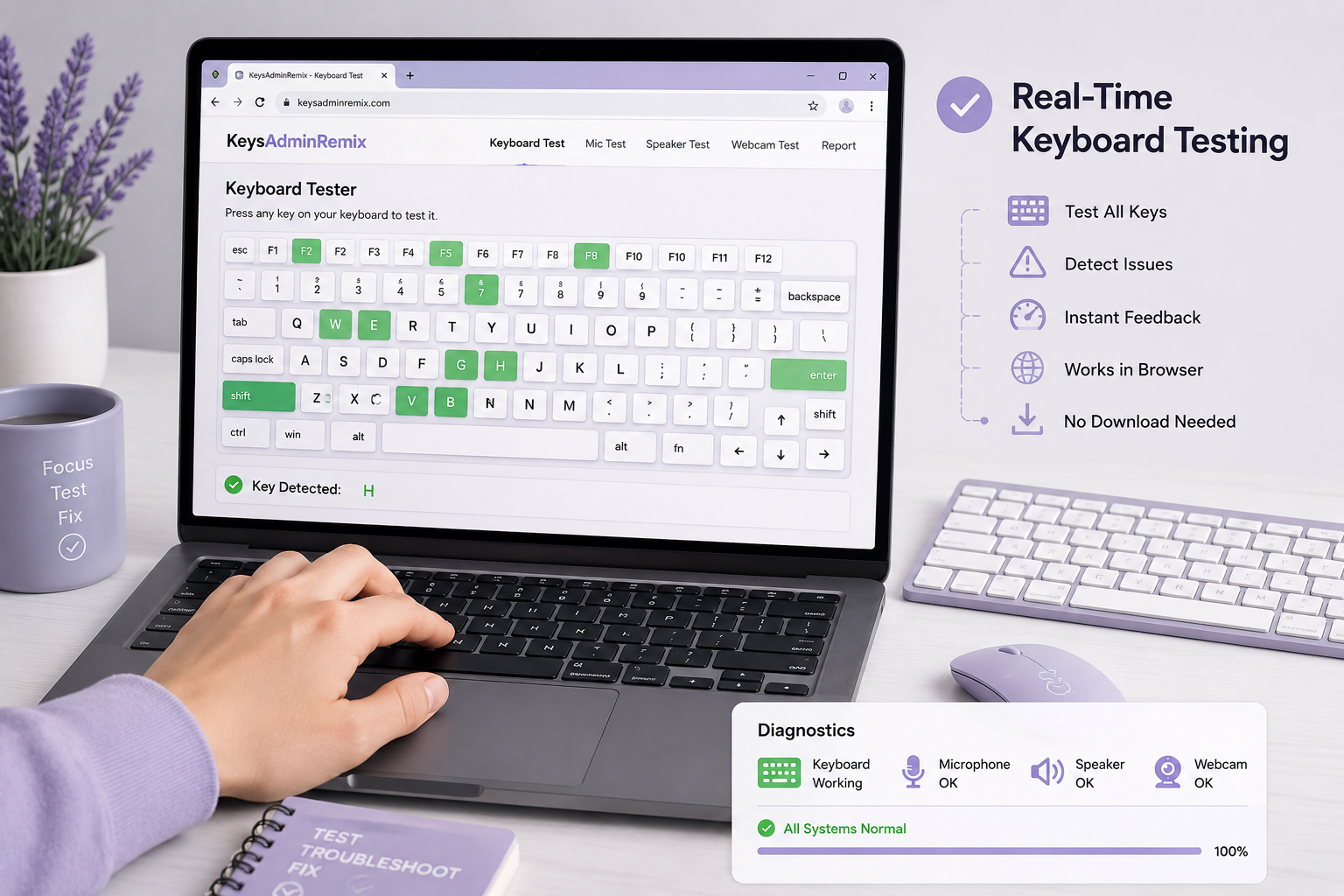
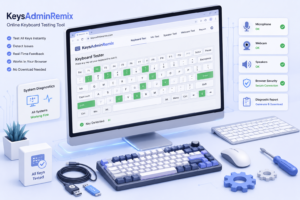
KeysAdminRemix is a free online keyboard testing tool provided by AdminRemix LLC. It allows users to quickly check Chromebook keyboards as well as many Windows, Linux, and external desktop keyboards without downloading any software. Simply open the website, press your keys, and see whether every key responds correctly.
This guide explains what KeysAdminRemix is, how it works, its features, benefits, limitations, and why it has become a useful troubleshooting resource for many users.
What Is KeysAdminRemix?
KeysAdminRemix is a browser-based keyboard tester designed to help users verify that every key on their keyboard functions properly.
Instead of installing diagnostic software, users can visit the testing page in a web browser and immediately begin pressing keys. As each key is detected, the on-screen keyboard highlights the corresponding button, making it easy to identify keys that are unresponsive or behaving unexpectedly.
The tool is especially useful for:
- Chromebook users
- Windows PC users
- Linux users
- External USB keyboards
- Bluetooth keyboards
- Students
- Teachers
- IT technicians
- Office workers
- Gamers
Because it runs directly in the browser, there is no installation process, making it convenient for quick troubleshooting.
How Does KeysAdminRemix Work?
The tool uses your browser to detect keyboard input in real time.
Here’s the basic process:
Step 1: Open the Tool
Visit the KeysAdminRemix keyboard testing page using a supported web browser.
Step 2: Start Pressing Keys
Press every key on your keyboard one by one.
Each correctly detected key becomes highlighted on the virtual keyboard.
Step 3: Check Missing Keys
If a key does not highlight or respond, it could indicate:
- Physical damage
- Dust or debris
- Connection problems
- Driver issues
- Hardware failure
Testing every key usually takes only a few minutes.
Main Features of KeysAdminRemix
Browser-Based Testing
No downloads or software installation are required.
Everything runs directly inside your web browser.
Chromebook Keyboard Support
Many online keyboard testers focus mainly on Windows keyboards.
KeysAdminRemix also supports Chromebook layouts, making it especially useful for students and schools.
Desktop Keyboard Compatibility
The tool works with numerous desktop keyboard layouts, including:
- USB keyboards
- Wireless keyboards
- Mechanical keyboards
- Laptop keyboards
- External keyboards
Real-Time Key Detection
Every pressed key appears immediately on the virtual keyboard.
This makes finding faulty keys quick and straightforward.
Easy-to-Understand Interface
The interface is simple enough for beginners while still providing enough information for experienced users.
No technical knowledge is required.
Additional Device Tests
Besides keyboard testing, AdminRemix also offers browser-based tests for:
- Microphones
- Speakers
- Webcams
These tools can help diagnose common hardware issues without installing additional software.
Why People Use KeysAdminRemix
Keyboard issues can appear for many reasons.
Some common situations include:
After spilling liquid
Users often want to know whether every key still works.
Buying a used laptop
Testing every key before completing a purchase can prevent unpleasant surprises.
School Chromebook maintenance
Teachers and IT administrators frequently test student devices.
Gaming keyboards
Gamers may want to ensure that important keys register correctly during gameplay.
Office computers
Businesses can quickly diagnose keyboard problems without calling IT support immediately.
Benefits of Using KeysAdminRemix
Completely Free
There is no subscription or payment required.
No Installation
Users don’t need to install programs or browser extensions.
Quick Testing
Most keyboards can be tested in less than five minutes.
Beginner Friendly
The interface is simple and intuitive.
Works Across Multiple Devices
Compatible with many common keyboard types and operating systems.
Common Keyboard Problems It Can Help Identify
Although KeysAdminRemix doesn’t repair hardware, it helps identify several issues.
These include:
- Dead keys
- Sticky keys
- Double typing
- Keys that fail to register
- Missing keyboard input
- Certain function keys not responding
- Faulty modifier keys such as Shift, Ctrl, or Alt
Knowing which keys are affected makes further troubleshooting much easier.
Tips for Accurate Keyboard Testing
To get the most reliable results:
Clean Your Keyboard
Dust and debris can block key presses.
Test Slowly
Press each key individually.
Check Modifier Keys
Remember to test:
- Shift
- Ctrl
- Alt
- Windows key
- Function keys
Test the Number Pad
If your keyboard has a numeric keypad, don’t forget those keys.
Try Another Browser
If certain keys don’t appear correctly, testing in another modern browser can help rule out browser-related issues.
Is KeysAdminRemix Safe?
Because the tool runs in your browser and doesn’t require software installation, it reduces many of the risks associated with downloading unknown diagnostic programs.
As with any online service, users should access the official AdminRemix website rather than unofficial copies or third-party pages.
Using the official site helps ensure you’re accessing the intended version of the tool.
Limitations of KeysAdminRemix
While the tool is very useful, it’s important to understand what it cannot do.
It cannot:
- Repair broken keyboards
- Update drivers
- Fix hardware damage
- Replace diagnostic software for advanced hardware issues
Instead, it serves as a quick way to determine whether keyboard input is being detected correctly.
Who Should Use KeysAdminRemix?
The tool is suitable for many types of users.
Students
Perfect for Chromebook users needing quick diagnostics.
Teachers
Helpful for classroom device maintenance.
IT Professionals
Provides a fast first step before deeper troubleshooting.
Office Workers
Useful for diagnosing typing issues without installing software.
Home Users
Ideal for anyone wanting to confirm whether a keyboard is functioning properly.
Final Thoughts
KeysAdminRemix offers a simple yet practical solution for diagnosing keyboard problems without requiring downloads or technical expertise. Whether you’re using a Chromebook for school, a desktop computer at work, or a mechanical keyboard for gaming, the tool makes it easy to verify that every key responds correctly.
Its browser-based approach, support for multiple keyboard types, and straightforward interface make it a convenient option for quick hardware checks. While it isn’t a replacement for advanced repair tools, it provides a reliable first step in identifying keyboard issues before moving on to more detailed troubleshooting.
FAQs
1. Is KeysAdminRemix free to use?
Yes. The keyboard testing tool is available free of charge.
2. Can I test a Chromebook keyboard with KeysAdminRemix?
Yes. It is designed to support Chromebook keyboards along with many desktop keyboard layouts.
3. Do I need to install software?
No. The tool works directly in a supported web browser.
4. Can it detect broken keys?
It can show whether your browser detects key presses, helping identify keys that may not be functioning properly.
5. Does KeysAdminRemix work with wireless keyboards?
Yes. It supports many USB and Bluetooth keyboards as long as the browser receives the key input.
6. Can I test my laptop keyboard?
Yes. Most laptop keyboards can be tested using the online tool.
Read Also: 192.168.7.5:8090 Guide Uses, Security, and Troubleshooting Tips